410 Santa Maria, Irvine, CA 92606
E-mail us: [email protected]
24 Hour Service - 7 Days a Week

Decode common Samsung appliance error messages and understand possible causes affecting refrigerators, washers, dryers, dishwashers, ovens, and other supported household equipment.
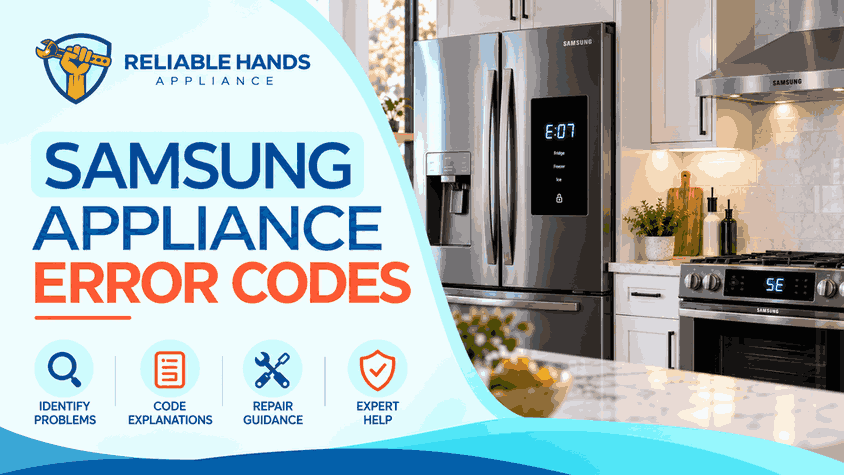
Samsung uses different code formats across product generations. A code usually identifies the affected system rather than one guaranteed failed component, so the appliance model and actual symptoms should always be considered.
Samsung appliances use electronic controls, sensors, safety circuits, and diagnostic systems to detect abnormal operating conditions. When a problem occurs, the appliance may display an error code, stop a cycle, or limit certain functions.
Samsung uses different code formats across product generations. A code usually identifies the affected system rather than one guaranteed failed component, so the appliance model and actual symptoms should always be considered.
Samsung washers use several large code families for water supply, drainage, leakage, door locking, load balance, and electrical conditions.
4C, 4E, nF, and 1 4C indicate that water is not entering the washer correctly. Closed supply valves, kinked hoses, restricted inlet screens, or plumbing conditions may contribute.
Drain-related codes include 5C, 5E, SE, SC, and nd. These appear when water cannot leave the washer at the expected rate.
1E, 1C, LE, LC, and LC1 can indicate water-level sensing or leakage conditions.
Door-related warnings include dE, dE1, dE2, dC, dC1, FL, and LO on supported models.
Samsung also uses 9C1, 9C2, PF, UC, and related codes for power or voltage irregularities.
Repeatedly clearing a washer code does not correct the condition that caused it.
4C or 4E indicates a water-supply problem.
5C, SC, 5E, or SE means the dishwasher cannot drain normally.
LC or LE appears when the leak sensor detects moisture. Some Samsung dishwashers may continue operating the drain pump as a protective response.
Other codes include 3C for pump operation, 7E for the WaterWall reflector on applicable models, 9E for low water level, and OC, 0C, or oE for an excessive water-level condition.
21E indicates a freezer-fan error. Frost or a failed fan motor may prevent the expected rotation signal.
22E or 22C concerns the refrigerator-compartment fan.
88 88, 83E, 85E, and 86E relate to electrical or compressor conditions.
Samsung identifies 83E with abnormal compressor current, 85E with compressor undervoltage, and 86E with overvoltage.
PC ER or PC CH identifies a communication problem between refrigerator components.
When these errors appear with rising temperatures, protecting stored food is more important than repeatedly resetting the appliance.
Samsung cooking appliances can report door, temperature, communication, electrical installation, and control problems.
C-F0 indicates communication trouble between electronic components.
bAd LinE identifies an incorrect electrical power connection on supported ranges.
C-24 concerns oven temperature increasing faster than expected. Restricted airflow around the oven vent may sometimes contribute.
Persistent electrical or overheating warnings should be inspected before continued operation.
Voltage-related dryer codes include 9C1, 9E, 2E, and 9E1.
Door-related codes include dC, dE, dF, do, and d0.
Temperature codes include tS, tC, tE, and tE3, while HC, hE, HC4, and 1 HC indicate heating or overheating problems.
Communication codes include AC, AE, Et, and E3.
Samsung dryers can also display vent-test results such as C80 or C90, indicating significant exhaust restriction.
Samsung microwaves can report sensor, temperature, door, control, and communication problems.
C-F0, C-F1, and C-F2 indicate communication errors.
E-21 and E-22 concern temperature sensing, while E-24 indicates an over-temperature condition.
Because microwaves contain hazardous high-voltage components even after being unplugged, internal electrical diagnosis should be left to qualified personnel.
Record the full code and what the appliance was doing when it appeared. Simple external checks may resolve certain water, airflow, or door conditions.
Recurring leaks, overheating, cooling problems, communication faults, or electrical warnings require proper testing. Avoid replacing boards, pumps, motors, or sensors based only on the displayed code.
For professional Samsung appliance diagnostics and repair, contact Reliable Hands Appliance.
Phone: +1 (714) 338-9438
Email: [email protected]
Office Hours: Monday through Friday, 7:00 AM to 7:00 PM
Saturday: 9:00 AM to 6:00 PM
Sunday is reserved for emergency calls. Call to confirm availability.
Office: 410 Santa Maria, Irvine, CA 92606
Time Zone: Pacific Time